
Overview
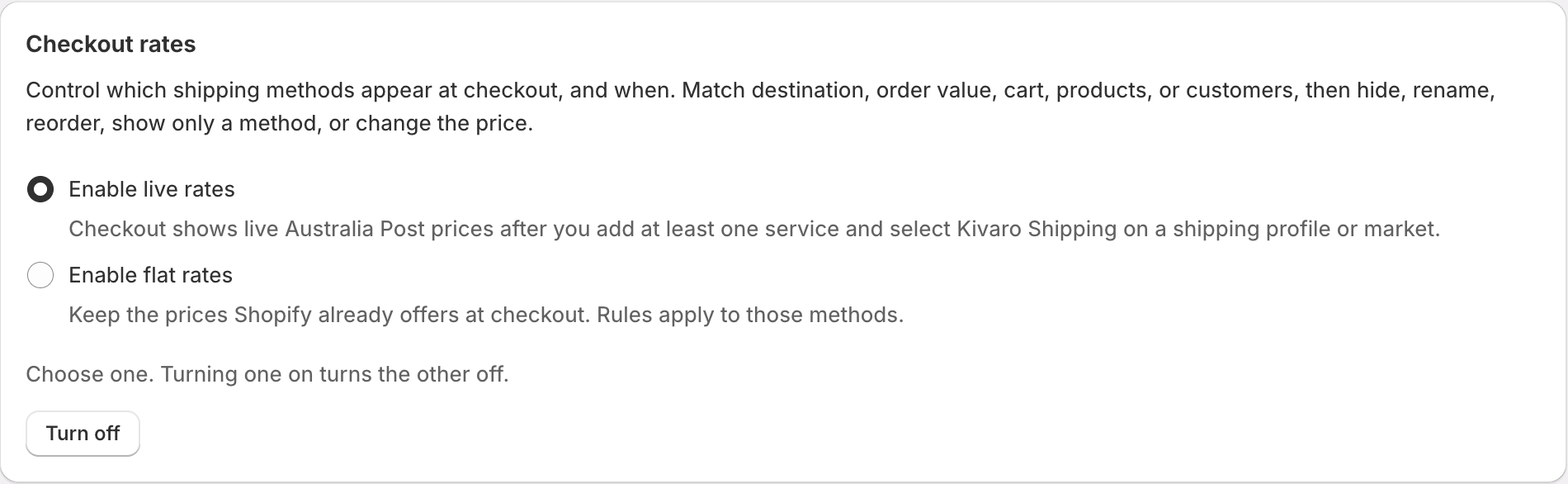
Live carrier-calculated shipping quotes your MyPost Business account at checkout. Customers see Australia Post prices based on parcel weight and your default package - closer to what you pay when you buy the label. You add each service you want to offer (for example Parcel Post and Express Post), set a fallback rate if Australia Post does not return a price, then optionally add rules to hide a service, make it free, or adjust the live price.Live rates are available on the Pro plan, and your Shopify plan must include carrier-calculated shipping (typically Grow, Advanced, Plus, or a development store). You can use either live rates or flat rates, not both at the same time.
Before you start
1
Confirm Shopify carrier-calculated shipping
Live rates need carrier-calculated shipping on the store. If your Shopify plan does not include it, AusPost MyPost Business shows a banner and you can still use flat rates instead.
2
Set variant weights
Enter a weight on every product variant in Shopify. Live quotes use those weights. Set a fallback weight on the Checkout shipping rates page for any variant that has no weight.
3
Set a default package
In AusPost MyPost Business Settings → Packages, choose the default package. Checkout uses that size when quoting Australia Post.
Enable live rates
1
Open Checkout shipping rates
In AusPost MyPost Business, go to Checkout Shipping Rates.
2
Choose Enable live rates
Select Enable live rates. Shopify may ask you to approve shipping permissions. If flat rates were on, they turn off.
3
Set fallback weight
Enter a weight above
0 kg. Every live service uses this when a product has no Shopify weight.4
Add at least one service
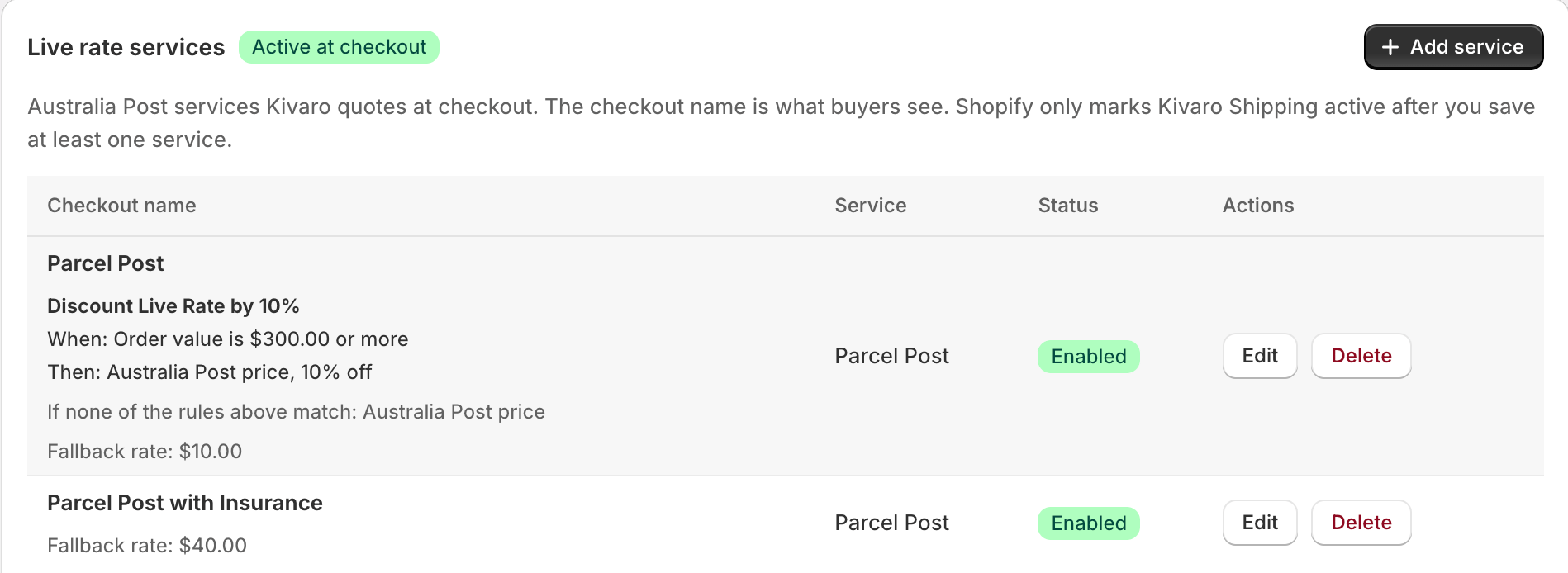
Click Add service. Live rates stay inactive until you add a service and save.
5
Save, then select Kivaro Shipping in Shopify
Click Save. In Shopify Admin → Settings → Shipping and delivery, add or select Kivaro Shipping on each delivery profile or market where the rates should appear. Without that, checkout will not request rates from the app.
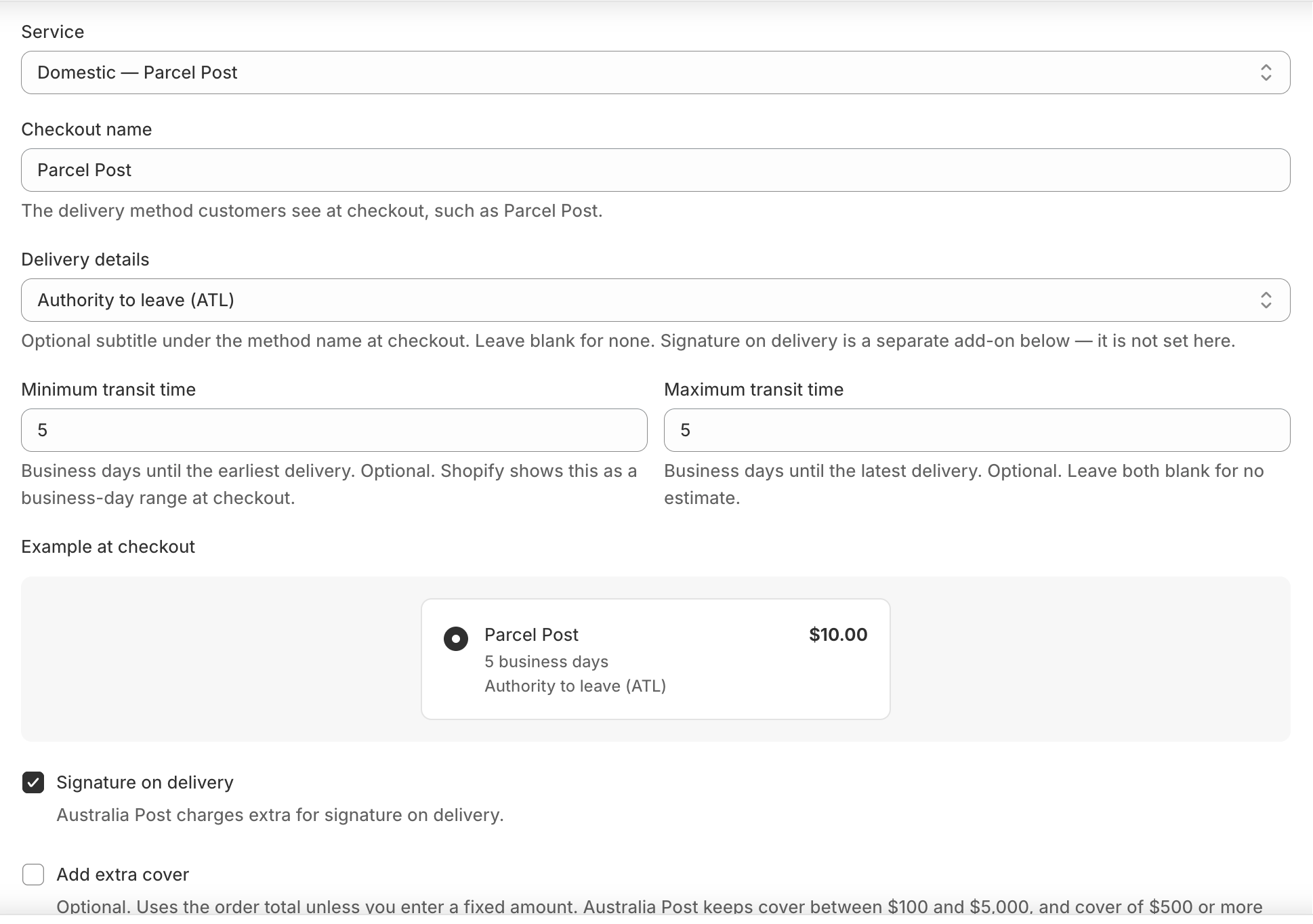
Services you can offer
Price actions (rules for a service)
Rules on a service are checked from top to bottom. The first match is the price customers see. If none match, they pay the Australia Post price (or the fallback if the quote failed).
You can also limit a rule to a date window (store timezone). Use this for a December promotion. Shopify can keep a successful rate for up to 15 minutes, so a window can start or end a little late.
Date windows are available on live rates only.
Conditions
Same family of conditions as flat rates, plus PO Box on live rates:
Up to 10 conditions per rule, combined with AND or OR.
Simple examples
Show Parcel Post and Express Post at the live price
Example: A 1.2 kg order to Melbourne might show Parcel Post at
$10.40 and Express Post at $14.90 - quoted from your MyPost Business account. If Australia Post is unavailable, checkout still shows Parcel Post $12.00 and Express Post $18.00.

Discount Parcel Post on orders of 300 or more
On the Parcel Post service, add a rule above Otherwise:
Orders under
$300 still pay the live Australia Post price (or the fallback). You can use Free instead of a percent if you want $0 over a threshold.
Hide Express for PO Boxes
Express Post often cannot be delivered to a PO Box, locked bag, or parcel locker.
Parcel Post remains so the customer can still check out.
Add a handling fee on international Express
Domestic services are unchanged.
Cover a sale period
Outside December the rule is ignored and the live price applies.
After you save: Shopify shipping settings
1
Open shipping settings
Use Open shipping settings on the Checkout shipping rates page, or go to Shopify Admin → Settings → Shipping and delivery.
2
Select Kivaro Shipping
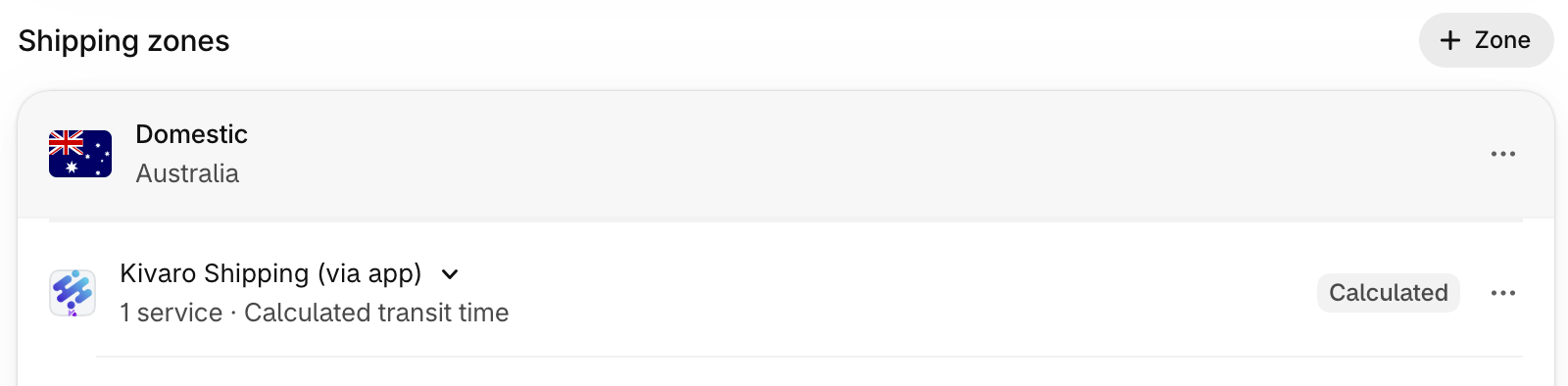
On each profile or market that should show live rates, add Kivaro Shipping as a carrier. Shopify lists it as Kivaro Shipping (via app) with a Calculated badge.
3
Test checkout
Use a test cart with known weights and a real address. Confirm the method names, optional transit range, and prices.
Refresh carrier prices
Use Refresh carrier prices after Australia Post changes your savings bands tier. You do not need it when you only edit names or rules. This clears quotes saved in AusPost MyPost Business. Shopify can still show a rate it already stored for up to 15 minutes.Tips and troubleshooting
Rates are saved and are not live yet
Rates are saved and are not live yet
Add at least one service, click Save, and confirm the services badge shows Active at checkout. Then select Kivaro Shipping on the Shopify shipping profile or market.
Checkout shows no Kivaro methods
Checkout shows no Kivaro methods
- Confirm live rates are enabled and saved with at least one service.
- Confirm Kivaro Shipping is selected in Shopify shipping settings for that market.
- Confirm the test address matches a domestic or international service you added.
- Wait up to 15 minutes or retry in a private window (Shopify rate cache).
Price looks wrong
Price looks wrong
Check variant weights, the fallback weight, and the default package in Settings. Use Refresh carrier prices after an Australia Post tier change. A Change the Australia Post price rule may be adding a fee or percent.
A service disappeared for some carts
A service disappeared for some carts
Look for a Hide this service rule (PO Box, postcode, product, or customer tag). Rules are evaluated top to bottom.
Checkout has no delivery option
Checkout has no delivery option
Every live service needs a fallback rate so a method still appears if Australia Post does not quote. Do not hide every service for the same cart.
Related guides
- Flat Rates - keep Shopify prices and control which methods appear
- Free Shipping Rules - shipping discounts on Shopify methods
- Product & Variant Dimensions - package size for quoting and labels
- Shipping Rules - automate the label after checkout